XCADEY APP:How do I identify my power meter?
1.Turn on Bluetooth and open the APP
Make sure your phone’s Bluetooth is turned on and open the XCADEY APP.
2.Enter the power meter search page
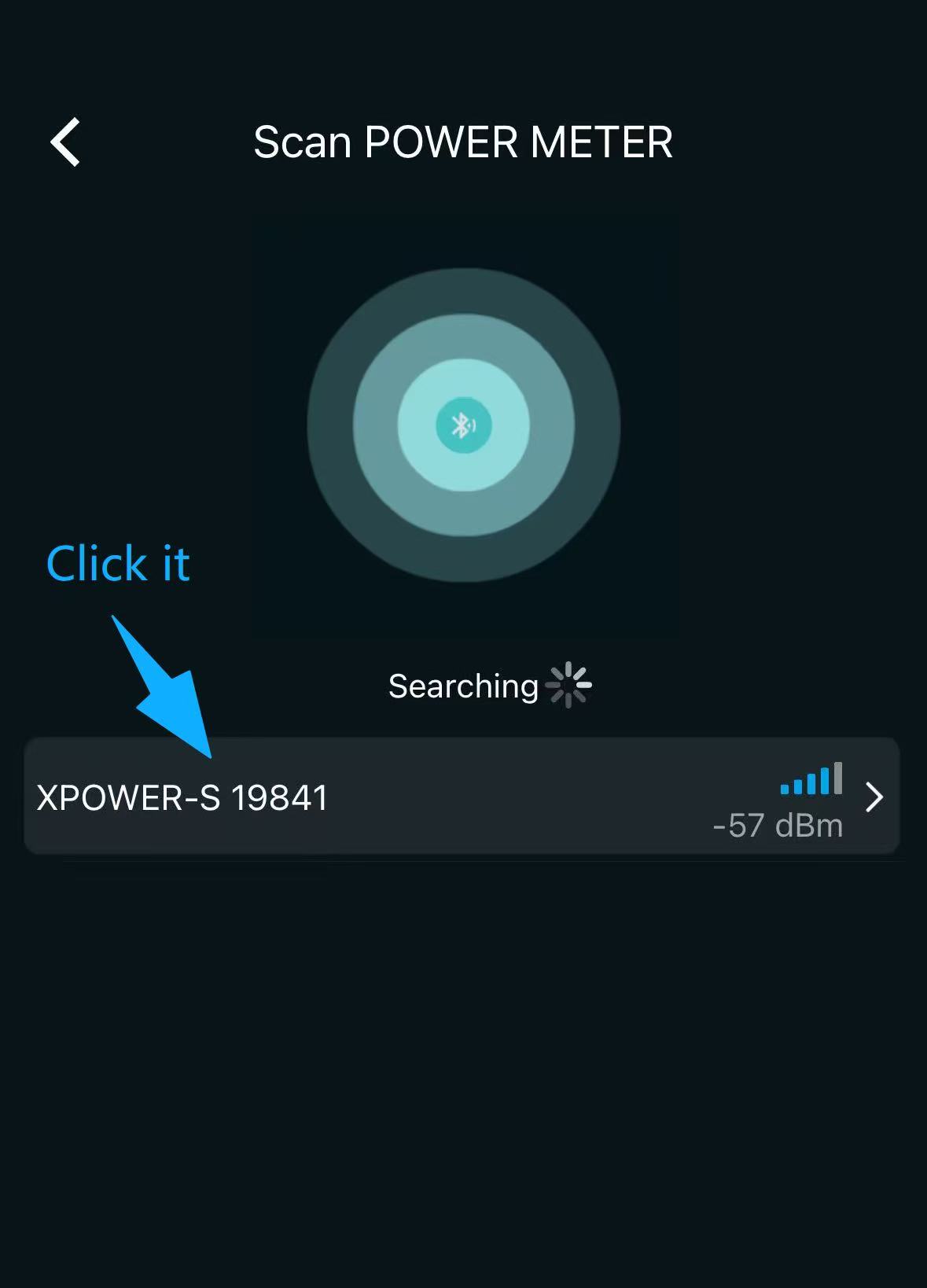
Click the “Power Meter” module on the APP homepage to enter the device search interface.

3.Find your power meter in the list
The APP will automatically search for nearby power meters.
Depending on the type of power meter, the device name follows these formats:
–Power Meter Spider: XPOWER-S + ID
–Power Meter Single-sided : XPOWER-L(R) + ID
–Power Meter Dual-sided:
-Left-sided: 2XPOWER + ID
-Right-sided: 2XPOWER-R + ID

4.Confirm the device ID
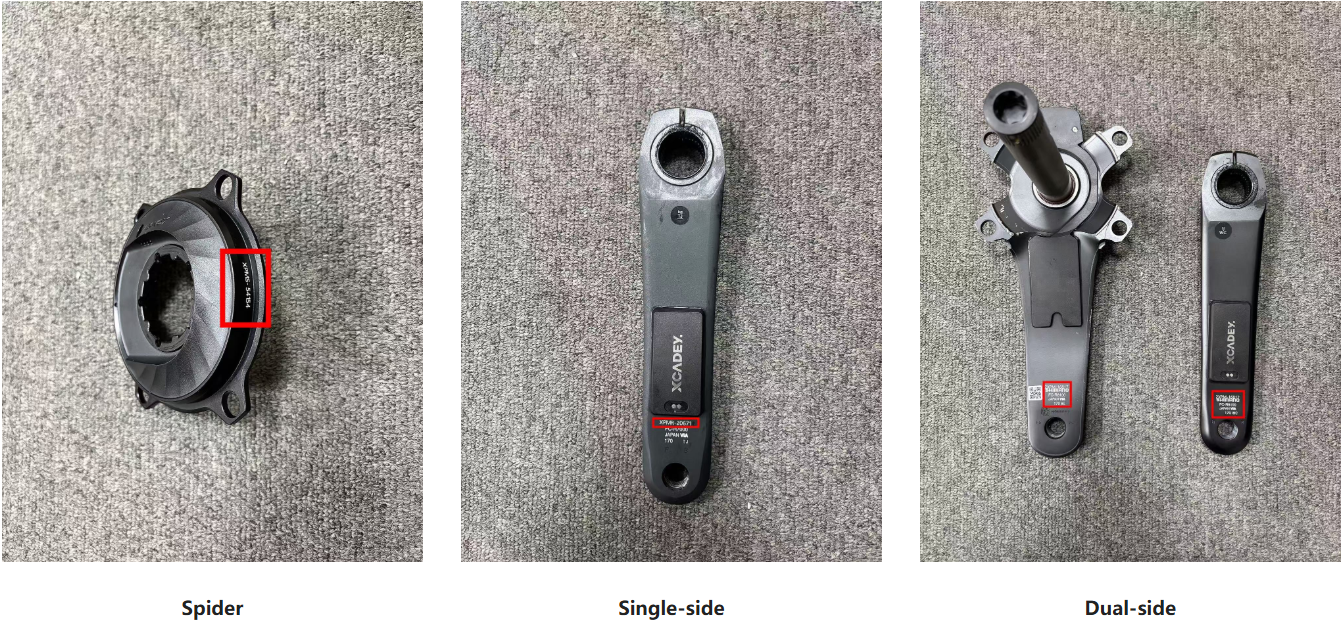
Each power meter has a unique ID number, which you can find on the device:
-Power Meter Spider: The ID is located on the edge of the spider
-Power Meter Single-sided/Dual-sided: The ID is located under the crank
5.Click to connect
Select the power meter in the APP that matches the ID on your device to complete the identification and connection.