XCADEY APP:How do I update the firmware on my power meter using the APP?
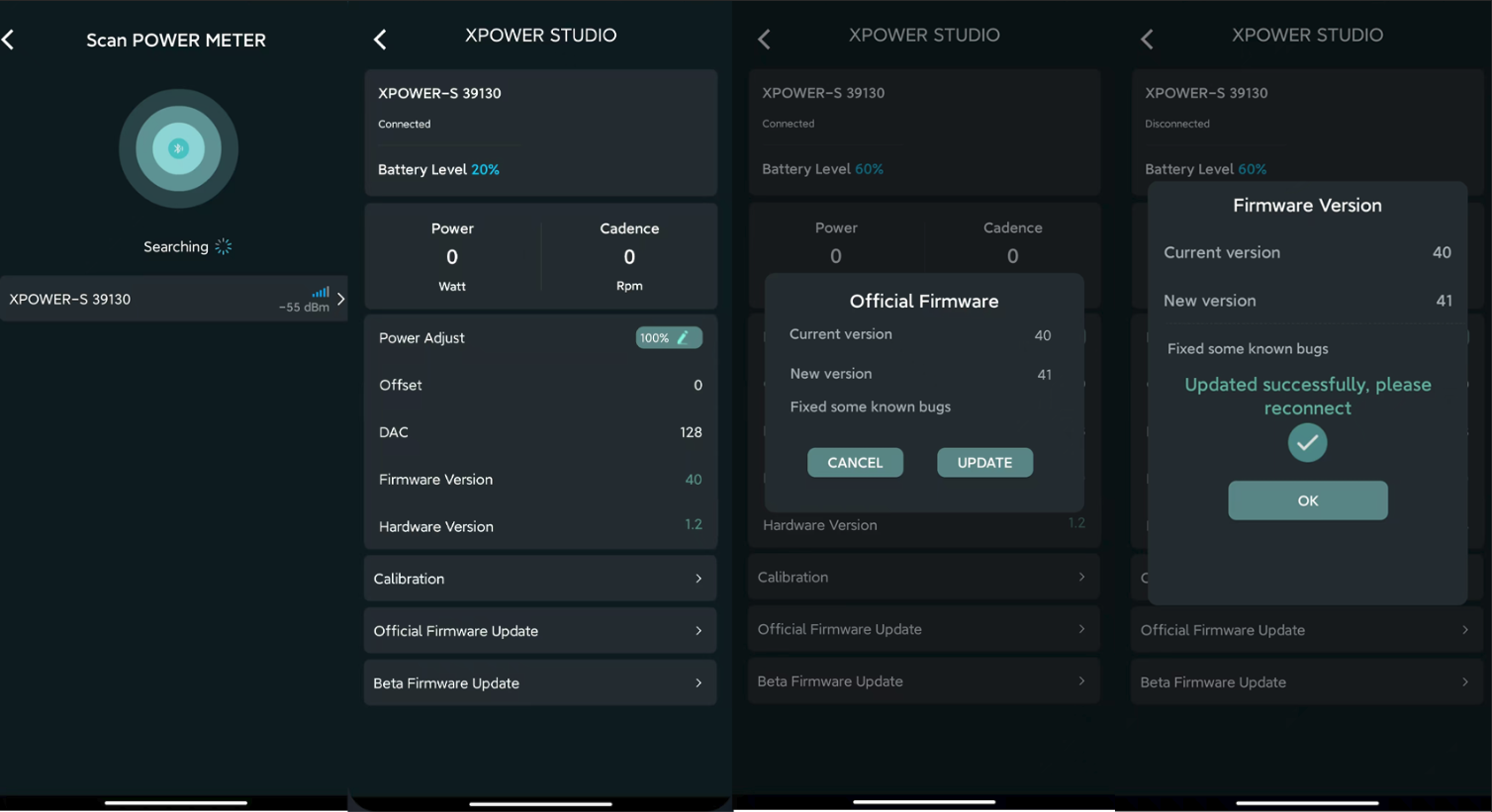
1.Connect the power meter
Open the XCADEY APP, ensure the power meter is connected successfully, and maintain a stable Bluetooth connection.
2.Enter the firmware upgrade page
On the device details page, click “Official Firmware Upgrade”.
3.Start the update
After clicking the “Update” button, the APP will automatically download and install the firmware. A progress bar will be displayed on the screen. During this process, keep the connection between the device and the phone stable.
Do not exit the update page or let the phone screen turn off.
4.Complete the update
Once the update is complete, the APP will pop up a notification saying:
“Update successful, please reconnect”
Click”OK”, return to the device page, and reconnect the power meter to use it normally.