POWER METER:XCADEY POWER METER SPIDER:What to do if I upgraded to the wrong firmware version?
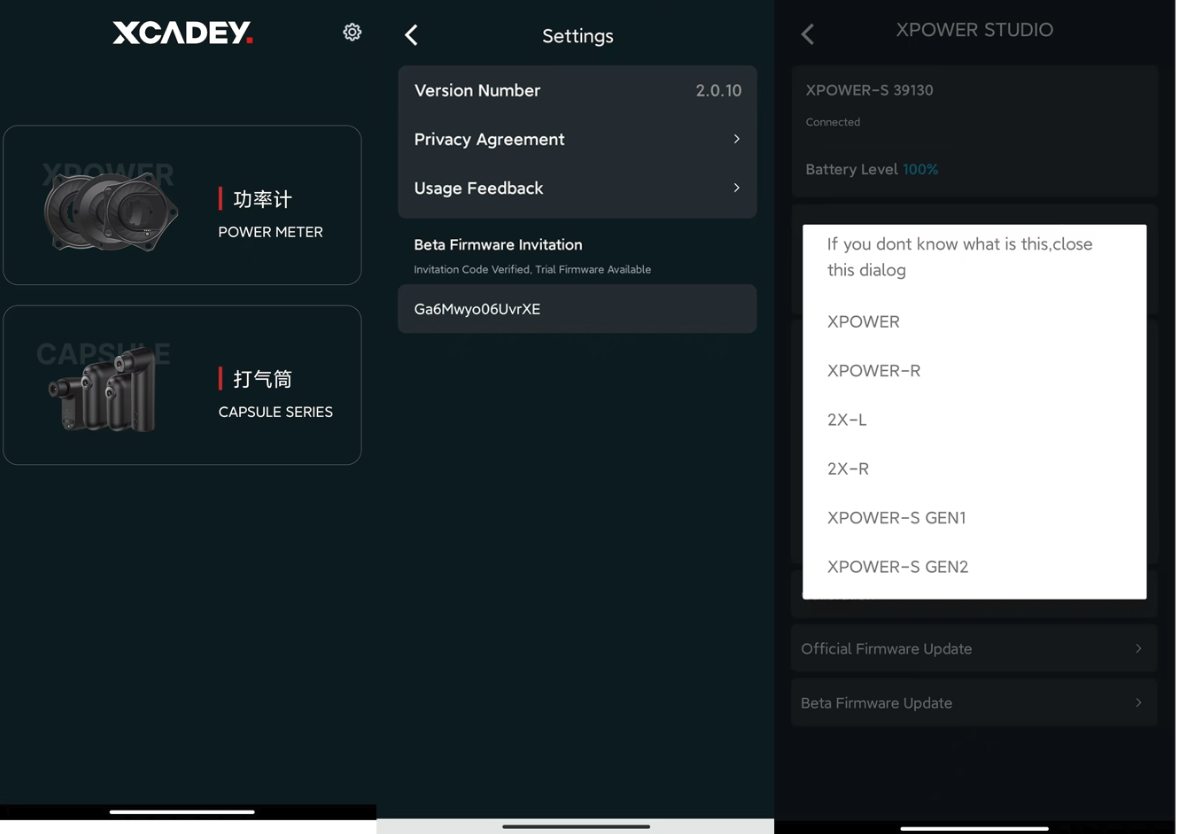
① Open the XCADEY APP
② Click [Settings] in the upper right corner
③ Enter the invitation code: U5qxJgok1*Sz2X(Press the Enter key on the keyboard after inputting.)
④ Return to the homepage
⑤ Connect the power meter spider
⑥ Long press [Official Firmware Upgrade]
⑦ Select the correct model:
Gen 1 spider: XPOWER-S GEN1
Gen 2 spider: XPOWER-S GEN2