POWER METER SPIDER: What to do if I upgraded to the wrong firmware version?
① Open the XCADEY APP
② Connect the power meter spider
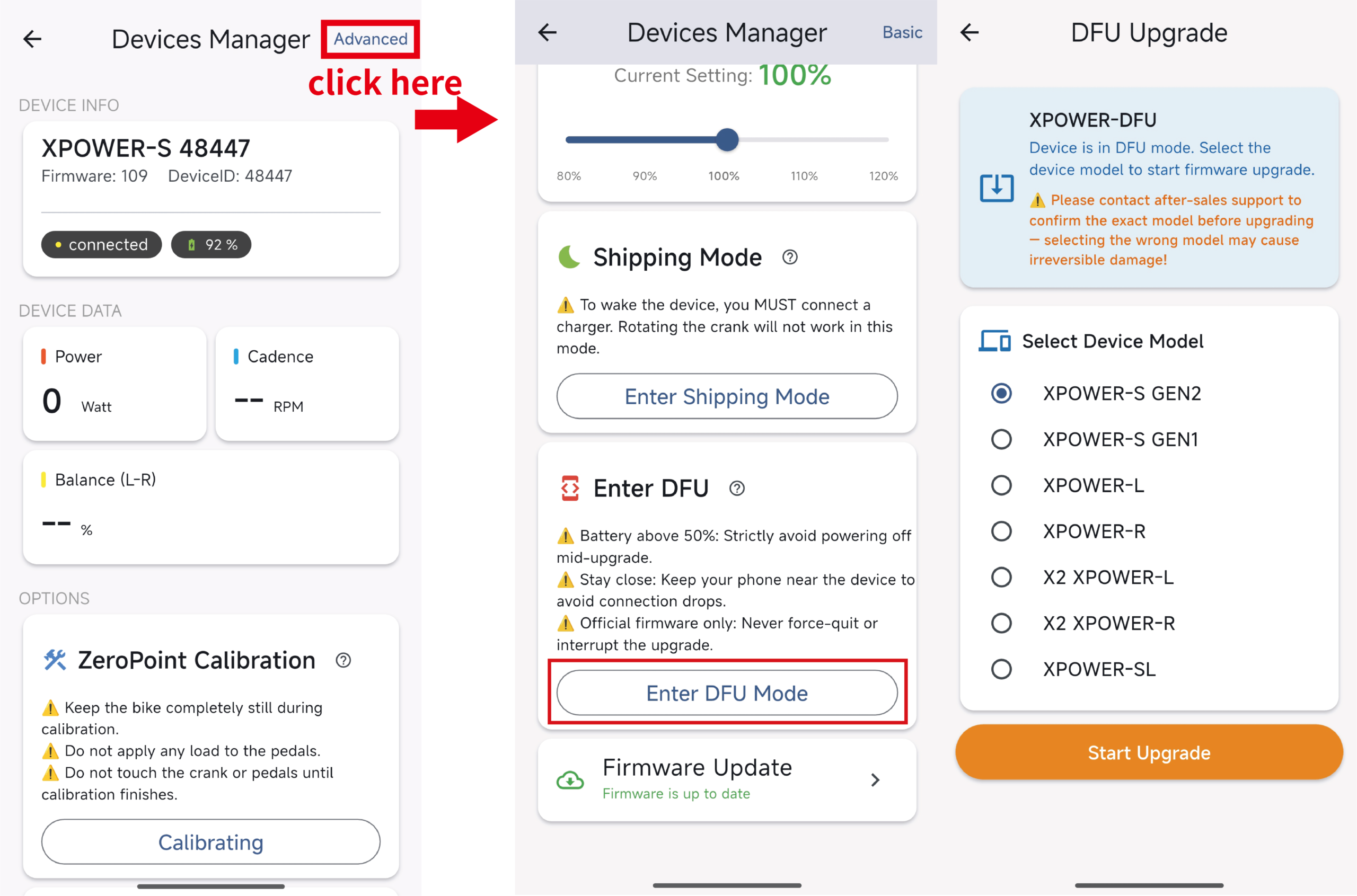
③ On the Device Manager page, select “Advanced” in the top-right corner
④ Enter the DFU Mode page
⑤ Reconnect to the power meter spider named “XPOWER-DFU”
⑥ Select the correct model:
Gen 1 spider: XPOWER-S GEN1
Gen 2 spider: XPOWER-S GEN2