XPOWER Crank Arm Power Meter: How to solve firmware upgrade errors?
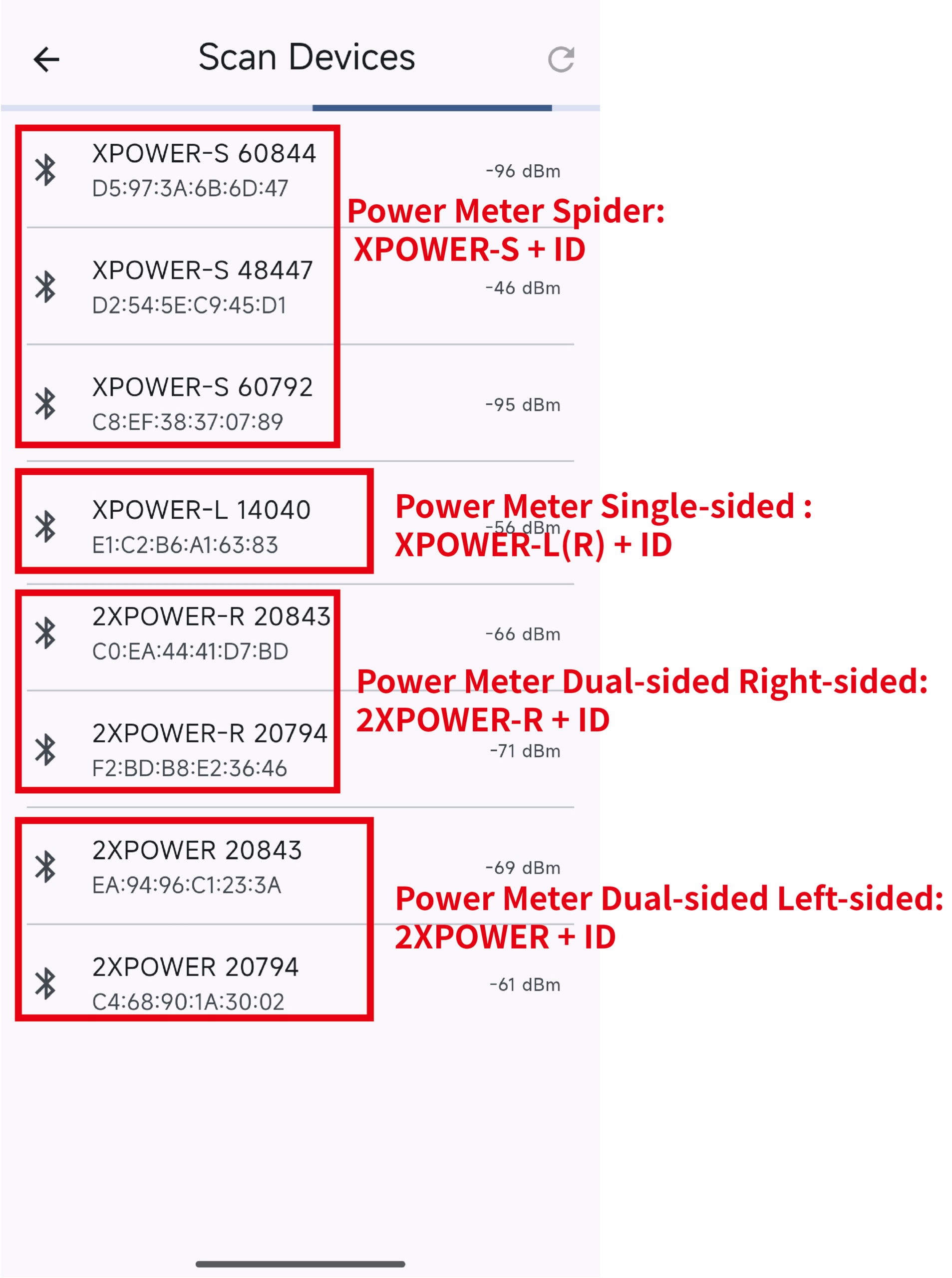
Correct name on the left side (single-side): XPOWER-L ID;
Correct name on the right side (single side): XPOWER-R ID;
Correct name on the left side (dual-side): 2XPOWER ID;
Correct name on the right side (dual side): 2XPOWER-R ID
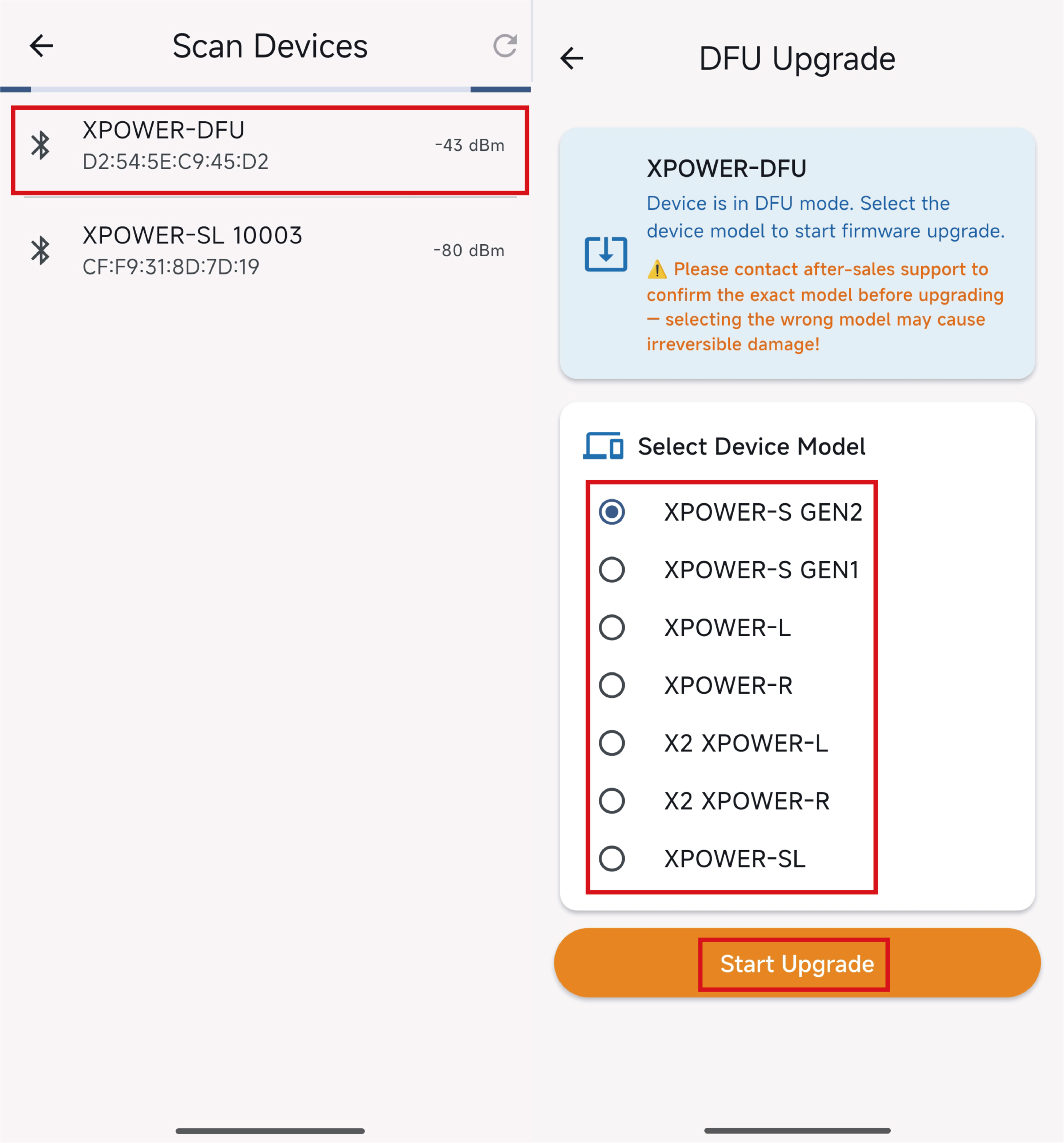
Example 1: If you get stuck in DFU mode during a official firmware upgrade of single-side, and selected the wrong option while long-pressing the official firmware upgrade, upgrading to the right side of dual sides instead, the searching result will be 2XPOWER-R ID. Please re-enter the interface, long press the official firmware upgrade, and select the corresponding firmware (Left Single side select XPOWER, Right Single side select XPOWER-R ).
Example 2: If you get stuck in DFU mode during a official firmware upgrade of single-side, and selected the wrong option while long-pressing the official firmware upgrade, upgrading to the left side of dual sides instead, the searching result will be 2XPOWER-L ID. Please contact customer service for inspection and repair.
📧 Email:
Support: info@xcadey.com
Sales: sales@xcadey.com
Partnership: xcadeyofficial@outlook.com
💬 WhatsApp:
+86 18924197081
🌍 Wechat:
xcadey
⚠️ Please do not ship back without any detection.
Example3: If you get stuck in DFU mode during a official firmware upgrade of left dual-side, and selected the wrong option while long-pressing the official firmware upgrade, upgrading to the right side of dual sides or single side instead, please re-enter the interface, long-press the firmware upgrade, and select 2X-L for the upgrade.
Example4: If you get stuck in DFU mode during a official firmware upgrade of right dual-side, and selected the wrong option while long-pressing the firmware upgrade, upgrading to the left side of dual sides instead, the searching result is “2XPOWER-L ID” (there should be two 2XPOWER-L IDs in the searching result), please contact customer service for inspection and processing.
📧 Email:
Support: info@xcadey.com
Sales: sales@xcadey.com
Partnership: xcadeyofficial@outlook.com
💬 WhatsApp:
+86 18924197081
🌍 Wechat:
xcadey
⚠️ Please do not ship back without any detection.