XCADEY APP: How do I update the firmware on my power meter using the APP?
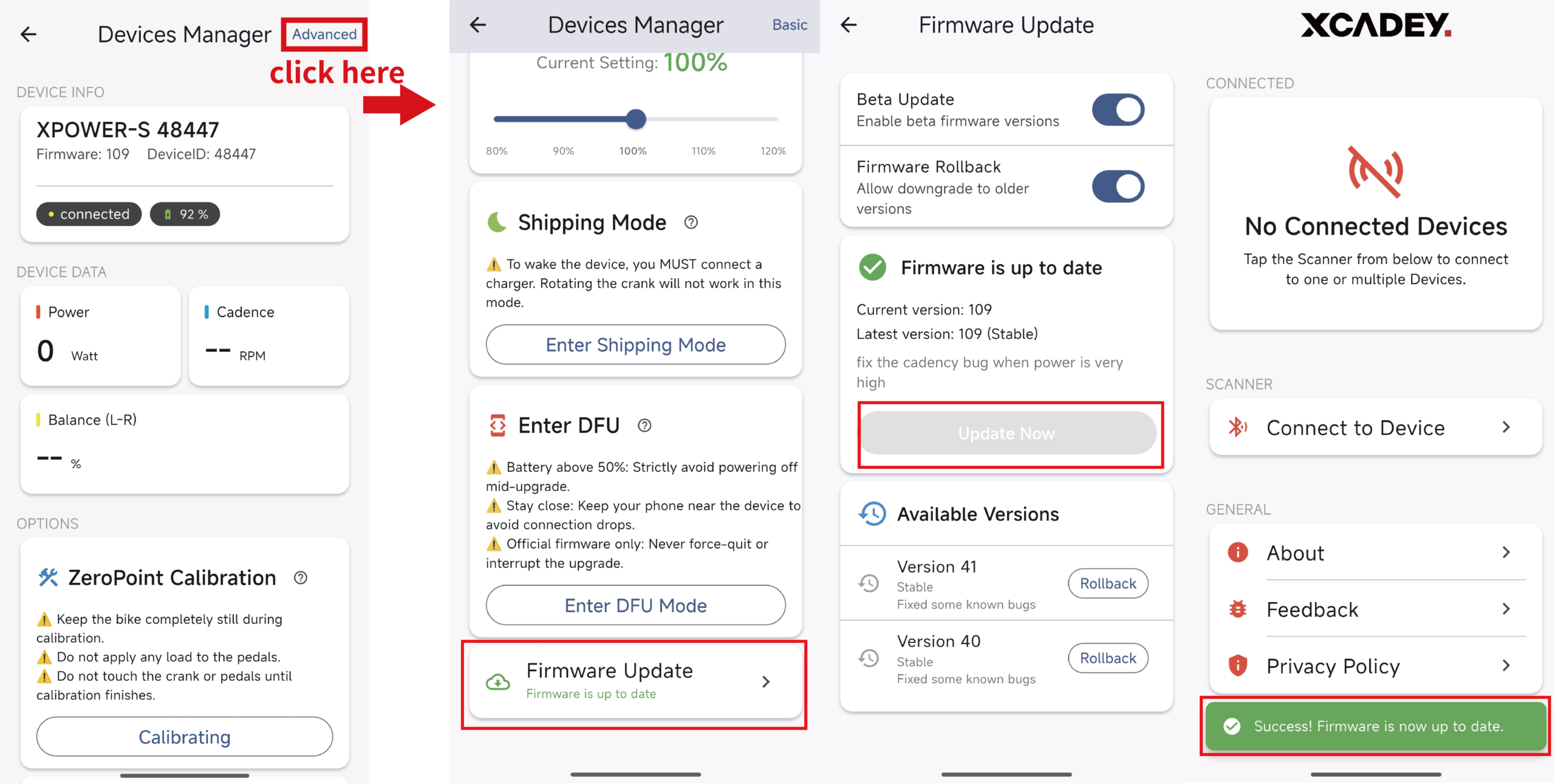
1.Connect the power meter
Open the XCADEY APP, ensure the power meter is connected successfully, and maintain a stable Bluetooth connection.
2.Enter the firmware upgrade page
Scroll to the bottom of the Device Management page and tap “Firmware Update” to enter the firmware update page. On the firmware update page, tap “Update Now”.
3.Start the update
After clicking the “Update Now” button, the APP will automatically download and install the firmware. A progress bar will be displayed on the screen. During this process, keep the connection between the device and the phone stable.
Do not exit the update page or let the phone screen turn off.
4.Complete the update
Once the update is complete, the APP will pop up a notification saying:
“Success! Firmware is now up to date.”
|
Model |
Firmware version |
Calibration |
latest version |
Calibration |
|---|---|---|---|---|
|
Power Meter Spider Gen1 |
38 |
100±100 |
/ |
/ |
|
Power Meter Spider Gen2 |
40/41 |
600±200 |
109 |
6000±3000 |
|
Power Meter Crank Arm Single-side |
39 |
1000±100 |
109 |
10000±1000 |
|
Power Meter Crank Arm Dual-side |
34 |
1000±100 |
/ |
/ |